
FieldNote 004


The Result
The Goal
Many students can explain what they need to do, but still feel blocked when a task is large and unstructured. The challenge is turning that "big blur" into manageable steps without adding more stress.
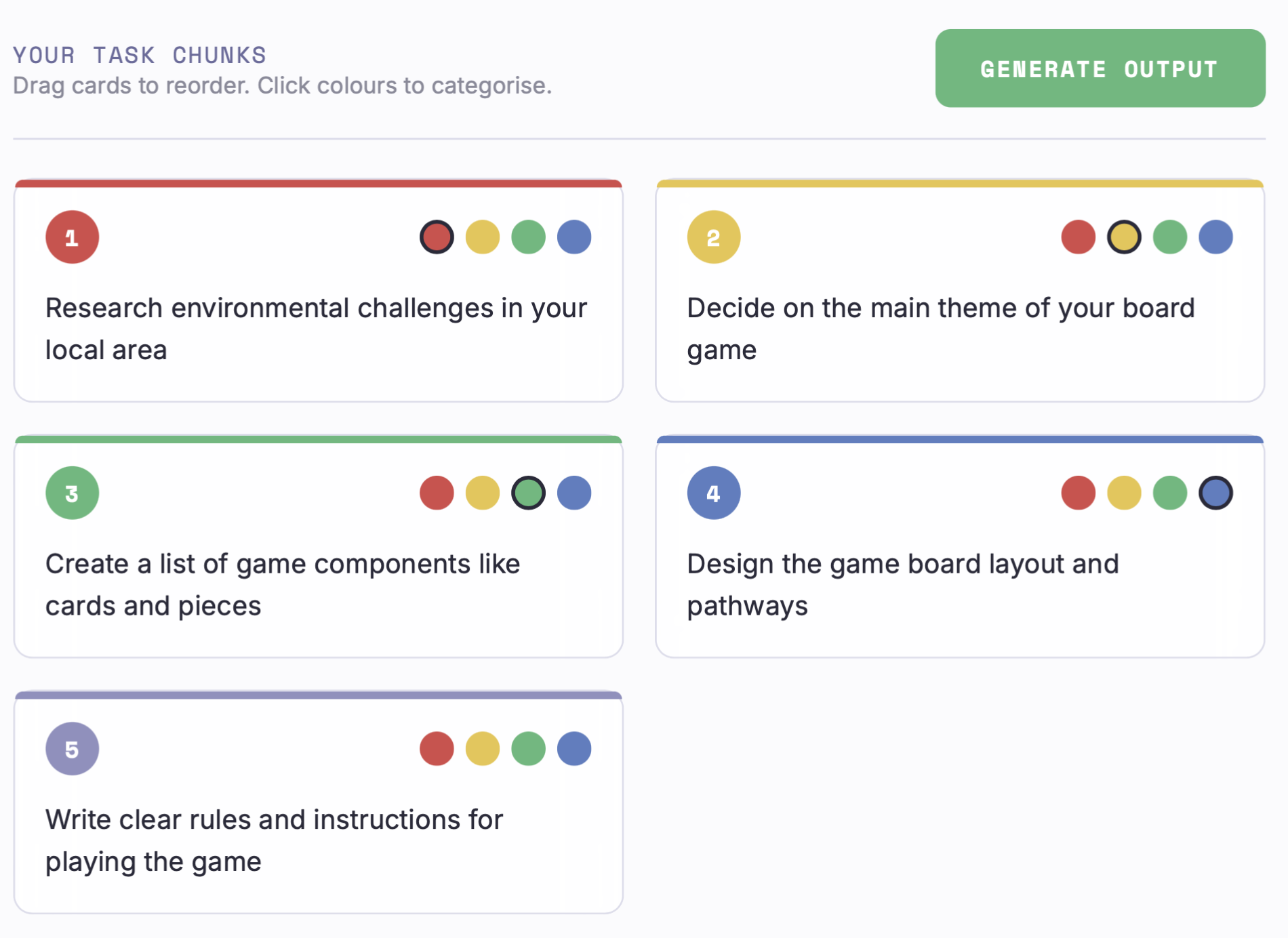
Floating Thoughts was built to convert one task description into practical chunks, then let students reorder and colour-code those chunks in the sequence that works for their own thinking style.
Dialogue Excerpt
- CraigI want students to break down a big task quickly, especially when they feel stuck at the start.
- Code AII will add a single input panel where they describe the task and click one button to chunk it.
- CraigSome students will bring a rubric or assignment sheet, not just typed text.
- Code AII will support file attachment so they can upload and still work from one interface.
- CraigThey need to move steps around in their own order, not keep an AI default sequence.
- Code AII will make each chunk a draggable card with desktop and mobile interactions.
- CraigCould they mark priority or type of step visually?
- Code AII will add colour dots for categorising each card while keeping the workflow lightweight.
- CraigOnce they are done, they should be able to take the plan into another document instantly.
- Code AII will generate a numbered output and include one-click copy to clipboard.
Conversation Strategy
- Start from student friction: focus on initiation barriers and overwhelm, not just productivity.
- Design a simple first flow: describe task or upload file, click one action button, receive immediate chunks.
- Prioritise reorganisation: make every chunk draggable so students can build their own order of operations.
- Add lightweight categorisation: include colour dots for quick visual grouping without forcing rigid labels.
- Close the loop with export: generate a clean numbered output and copy it to clipboard for next-step use.
Infrastructure Notes
Input Paths: task text field plus file attachment support for .txt, .pdf, .doc, and .docx inputs.
Chunking Endpoint: POST request to
/floating-thoughts/chunk-task returning a list of chunks.Interaction Model: draggable thought cards with both desktop drag events and touch handlers for mobile.
State Handling: chunk order and card colours stored in-memory and re-rendered after each interaction.
Output Flow: generated numbered plan panel with clipboard copy action and fallback copy support.
Maintenance Pattern: iterative UI patches around one-page app architecture.
Reusable Pattern
You could use this pattern to…
- build student-facing "task unblocking" tools for assignments, projects, and exam preparation.
- convert teacher rubrics into chunked student action plans with reordering control.
- support neurodivergent learners with visual chunking and flexible sequencing workflows.
- create lightweight planning assistants that export clean text into school LMS or docs.