
FieldNote 003


The Result
Public link: newcastle-humanities-dashboard.html
The Goal
The source material was a 3-page Stage 3-4 Humanities unit outline. The content was strong, but dense formatting made it harder for some students to track weekly priorities, deadlines, and assessment choices.
The goal was to rebuild the unit as a predictable one-page dashboard that reduces cognitive load, supports executive functioning, and gives students multiple ways to access and engage with the same learning goals.
Dialogue Excerpt
- CraigI want this unit to feel predictable and calm for students, not like a wall of text.
- Code AII will turn it into a one-page dashboard with week cards and clear content chunks.
- CraigPlease build executive functioning supports into the core design.
- Code AII will add progress tracking, weekly checklists, and visible milestone prompts.
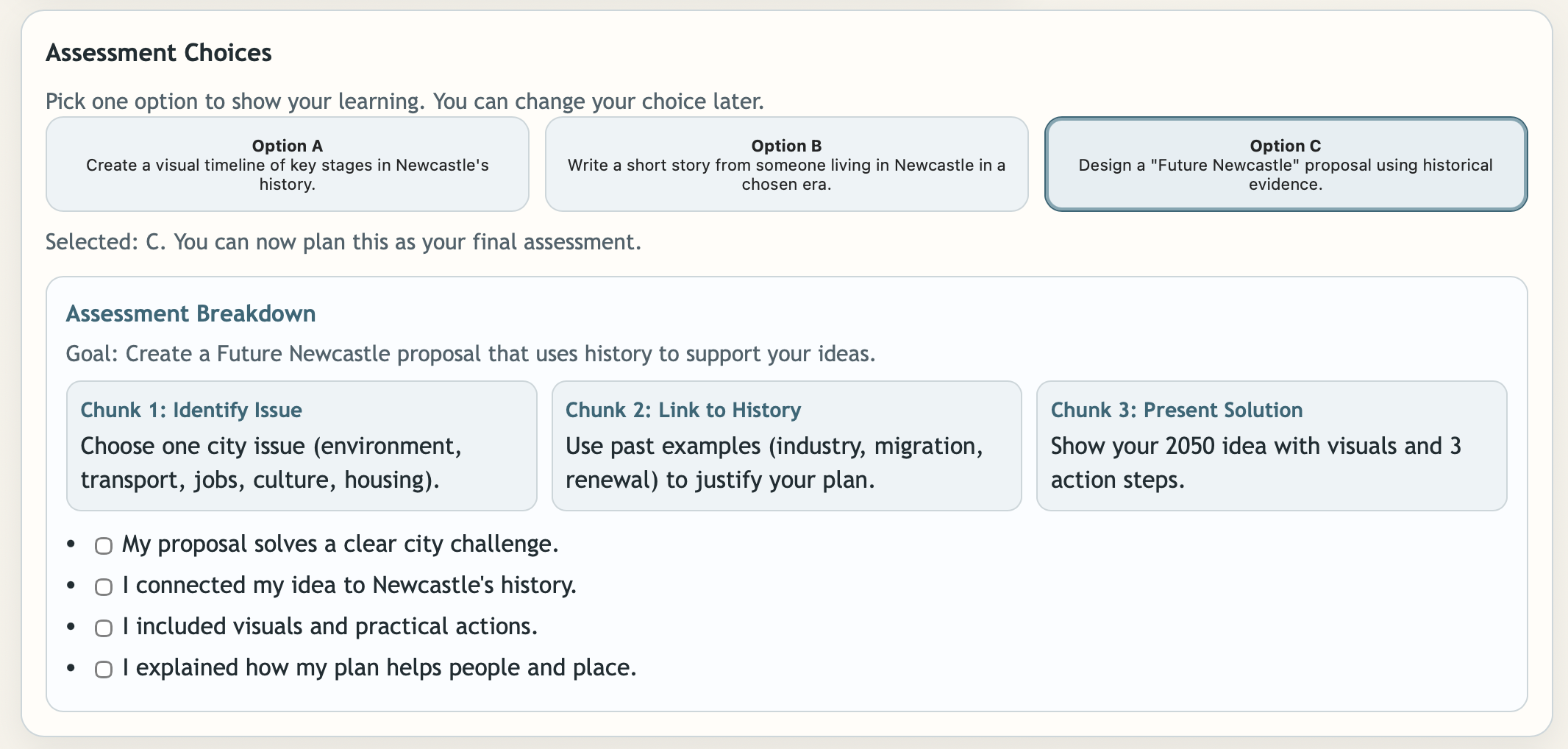
- CraigStudents should be able to choose an assessment and understand each part.
- Code AII will make selectable assessment cards and show chunked task breakdowns.
- CraigLet's include style choices so students can use what feels best for them.
- Code AII will provide Normal, Vaporwave, Matrix-style Cyberpunk, and Fantasy display modes.
- CraigMake sure resource links are real and clickable for research tasks.
- Code AII will source and connect live links to council heritage, Trove, library, and museum resources.
Conversation Strategy
- Stabilise the learning sequence: map all material to Week 1, Week 2, and Week 3 with one-click switching.
- Reduce overload by design: rewrite dense dot points into short action statements and collapsible sections.
- Make progress visible: add checkboxes, a completion bar, and weekly milestone text.
- Chunk major assessments: break each option into clear components with mini checklists.
- Support learner preference: include accessibility toggles and optional visual themes without changing core content.
Infrastructure Notes
File Structure: single-page dashboard with semantic sections, progressive disclosure, and teacher-ready sharing.
Content Architecture: roadmap, timeline, weekly panel, progress sidebar, assessment cards, and resources.
Interaction Layer: vanilla JavaScript controls week switching, progress tracker, theme changes, and assessment chunk rendering.
Accessibility Layer: high contrast mode, larger text mode, calm visual hierarchy, and collapsible content blocks.
External Integrations: live links to City of Newcastle, State Library NSW, Trove, and Newcastle Museum collections.
Maintenance Pattern: update week arrays, checklist text, and links without changing the layout system.
Reusable Pattern
You could use this pattern to…
- turn any unit outline into a predictable student dashboard with weekly navigation.
- embed executive functioning supports into everyday class pages rather than separate documents.
- show assessment pathways with chunked steps that reduce task initiation barriers.
- demonstrate UDL-style choice through visual settings and interaction options.